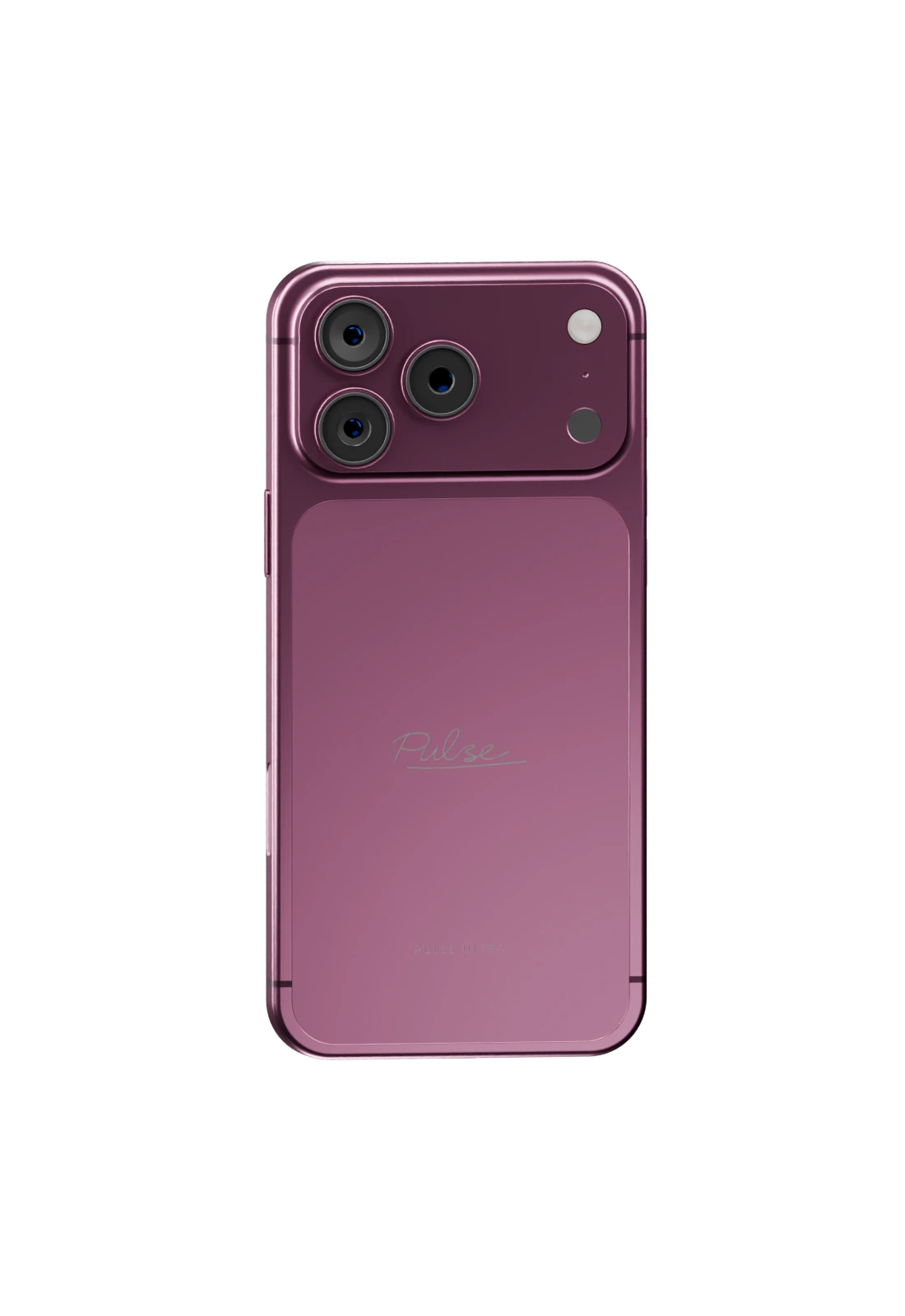
Four real handsets
Ultra, Titanium, Clear and Flip, each a separate 3D model in the game. Players buy them over a counter, unbox them in the hand, and see each other's.
Four 3D handsets, 35 finishes, 50 apps. One phone for the whole city.

Pulse
Four 3D handsets, 35 finishes, 50 apps. One phone for the whole city.
Pulse Phone is a complete smartphone for FiveM roleplay. Four handsets, each a separate 3D model in the game, run one operating system with 50 apps, and every finish, case and accessory a player picks is the one other players see.
It is built for servers: the framework, database, voice and inventory are detected at start, more than 80 third-party scripts are supported without wiring, the server decides every result, and the whole collection streams at about 21 MB.
Pulse
Ultra, Titanium, Clear and Flip, each a separate 3D model in the game. Players buy them over a counter, unbox them in the hand, and see each other's.
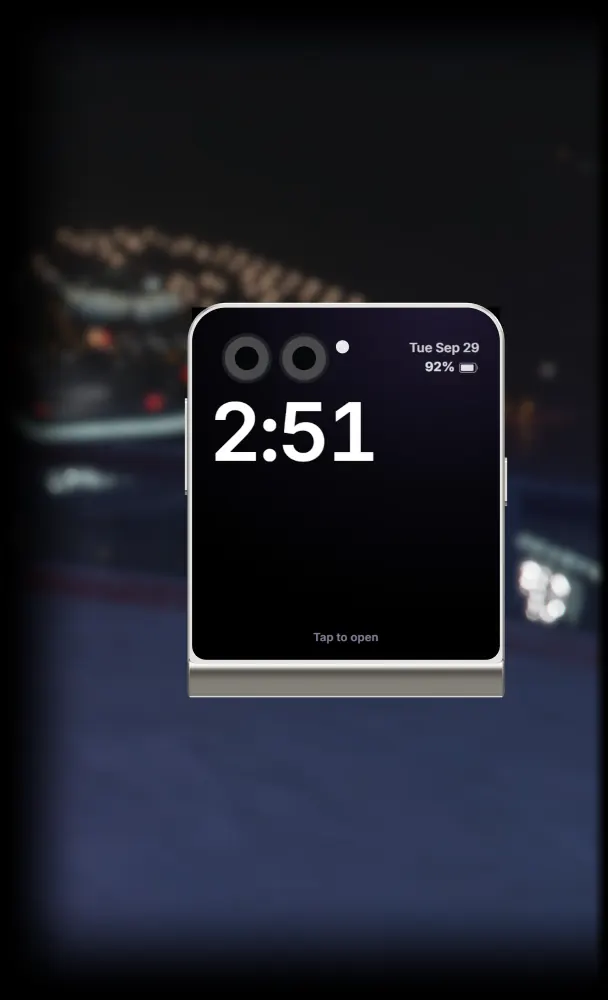
In the player's hand in game, and in the 3D viewer on this page: it flicks open leaving the pocket and snaps shut going away.
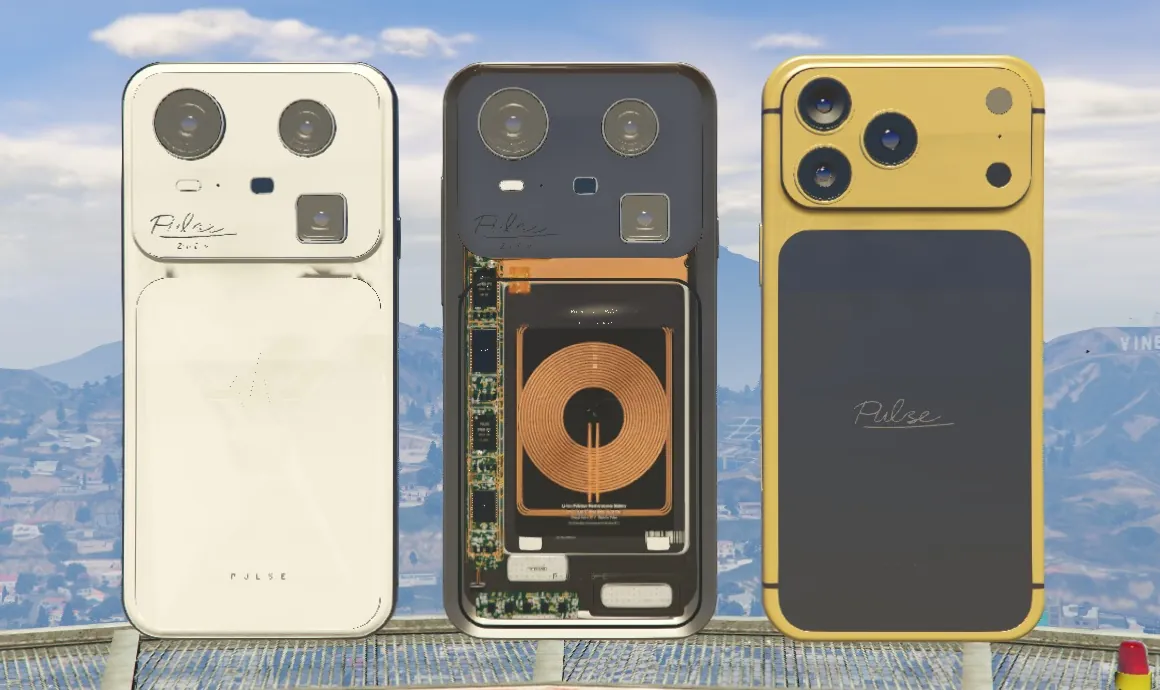
The classic 13 on every model plus each model's own, including two-tones with a contrasting frame. Cases and wallets show on the phone in hand too.
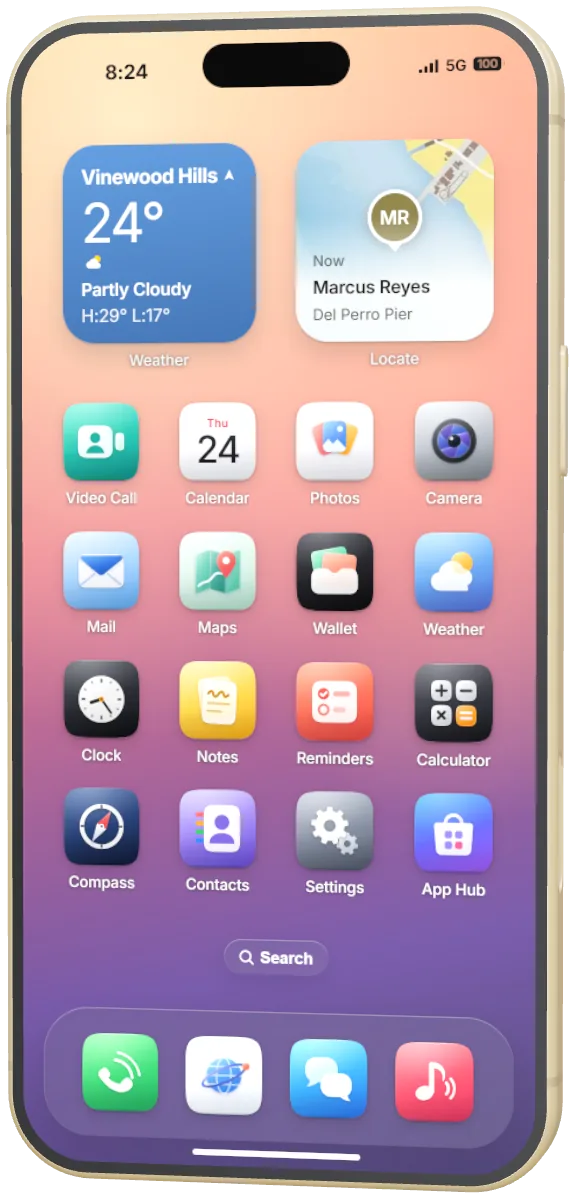
It boots, runs its setup, locks, wakes and multitasks, with widgets, an App Switcher, Control Centre and 101 original sounds.
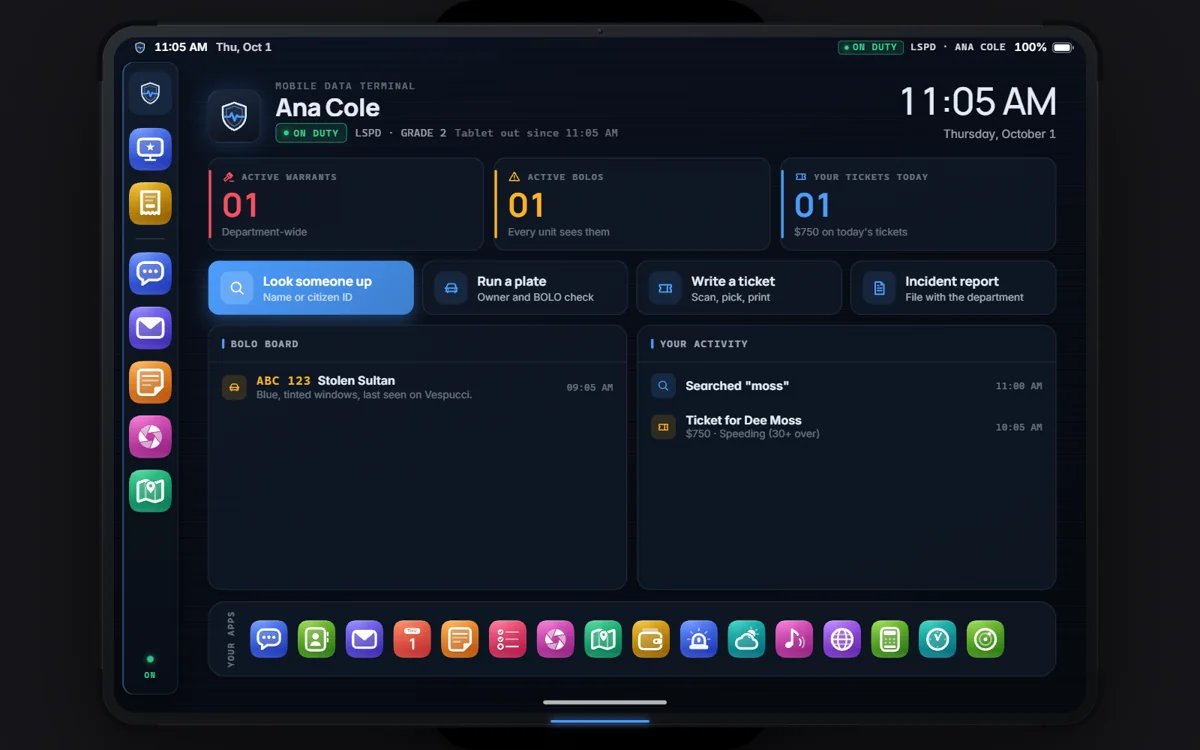
A duty tablet with its own sign-on: the MDT and printed citations for police, body scans and medical reports for EMS.
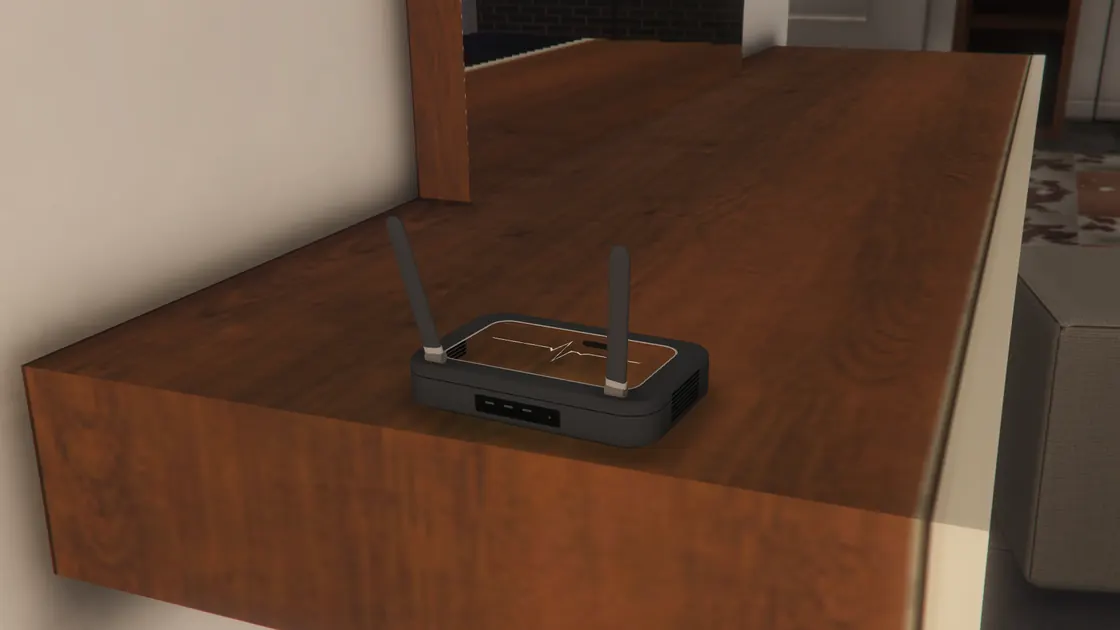
Bought in the Pulse Store, placed at home with a preview. On its Wi-Fi data is free, dead zones do not matter, and calls carry on over Wi-Fi Calling.
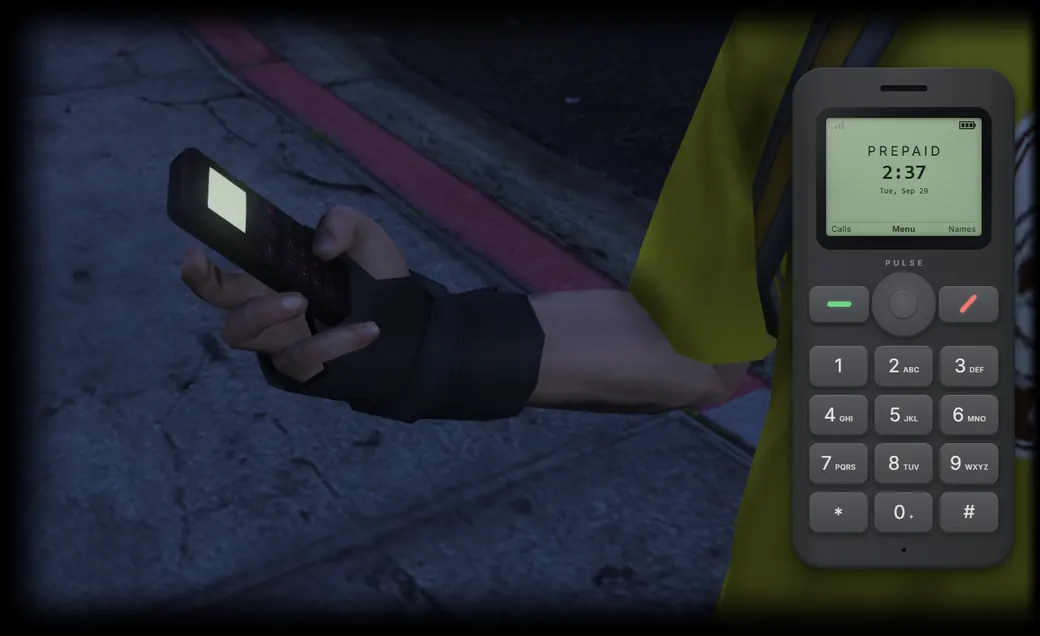
A prepaid burner with a number nobody has linked to you. Officers tap a number for up to 72 hours and see texts and call records, never audio.
Money, messages, posts and calls are decided on the server. Dead, downed, cuffed or jailed players are limited the way the scene demands.
Why Pulse
Ultra, Titanium, Clear and Flip are four separate 3D models in the game, and each one boots as itself.
In the player's hand in game, and in the 3D viewer on this page: press Fold and watch the hinge.
The classic 13 on every model plus each model's own. The finish in a player's hand is the one other players see.
The film and every clip of the phone in use on this page were captured in FiveM. Renders are labelled as renders.
Try the complete collection on your own server before you pay. Then $25/month unless you cancel.
ESX Legacy, QBCore, Qbox, ox_core, ND Core, TMC, vRP 2 and standalone, detected at start. Others connect through the documented bridge.
New in 1.2
A tablet for every department, real 3D accessories in every colour, and a phone that does more of the city's work.
A duty tablet for police and EMS with a built-in scanner and printer, its own sign-on, Control Centre and dashboards. Police get the MDT and citations that print as real tickets; EMS get a body scan and printed medical reports.

A Police Quartermaster and an EMS Medical Supply, each in its own theme. Move either into your own MLO with one command, /deptstorepos.

A rugged case fitted to each handset, from Graphite to Rose Quartz, plus a clear case, a waterproof pouch and a screen protector. Other players see the case on your phone.

Clips onto the back of the phone and holds your ID and card: tap to pay, and show your ID to someone standing next to you.

A ring light on a tripod that holds the phone to film hands free, and wireless earbuds that keep calls private and music to you.

Smooth zoom, rotate and tilt, turn-by-turn with lanes, live traffic and player reports, Share ETA and Look Around.

A car screen for the driver: maps with turn cards, music and the car radio, hands-free calls and messages. Press F10, drag it anywhere on screen and pick its size.
Group video calls with four video seats by default, configurable up to eight. The call carries on when the host leaves.
Invoices and fines, business payroll, and optional savings and loans.
App Hub with reviews and landscape apps, SDK v2 for your own apps, and creator subscriptions in the social apps.
Settings > Server: a setup assistant, a health check and live configuration on an admin's phone.
ND Core and TMC join ESX, QBCore, Qbox, ox_core, vRP and standalone.
Phone damage and repairs, Pulse Drive, AR navigation, Pulse Beacons, live multiplayer games and new apps.
The line-up
Every Pulse runs the same system and the same apps. What changes is the handset in the player's hand, and what everyone else sees.
The flagship
Three cameras and the Pulse signature engraved on the back. Six finishes of its own, from Obsidian to the two-tone Racing Red Duo.
Premium, every day
A satin metal frame and a sculpted camera plate. Its own six include Midnight Green, Champagne and the two-tone Tuxedo.
For enthusiasts
A clear back over the logic board, shielding, flex cables, a wound charging coil and the battery. Five tinted glass finishes.
Folds in half New
A clamshell with a large cover display. It flicks open as it leaves the pocket and snaps shut as it goes away. Lilac, Mint, Butter, Graphite and Cherry Duo.
In 3D
Every handset in 3D, right in your browser. Fold the Flip, snap on a Reserve, or plug in Pulse Link.

Natural Titanium
19 finishes on Pulse Titanium: the classic 13 and 6 of its own.
Reserve holds 70 % of a charge, Reserve Max 120 %. Both snap onto the back.
Cable only on the Flip. The Reserve does not fit it; Pulse Link plugs into its USB-C port.
Drag sideways to turn it. Arrow keys work too.
New · Pulse Flip
One folding display, 6.9 mm thin when open, running the same interface as every other model.
Finishes
The classic 13 on every model, plus colours made for each one, including two-tones with a contrasting frame. The finish in a player's hand is the one other players see.

About 21 MB
for all four handsets together, down from about 205 MB. Each handset is one model coloured from a palette, so 35 finishes cost your players almost nothing to download.
The system
It boots, runs its setup, locks, wakes and multitasks. Players already know how to use it.
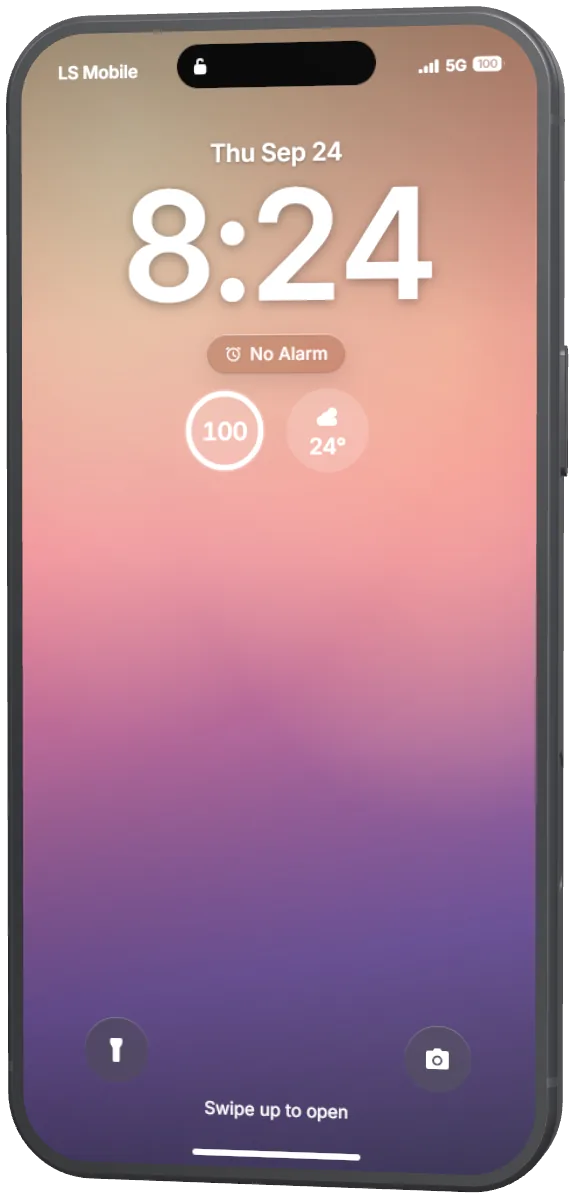
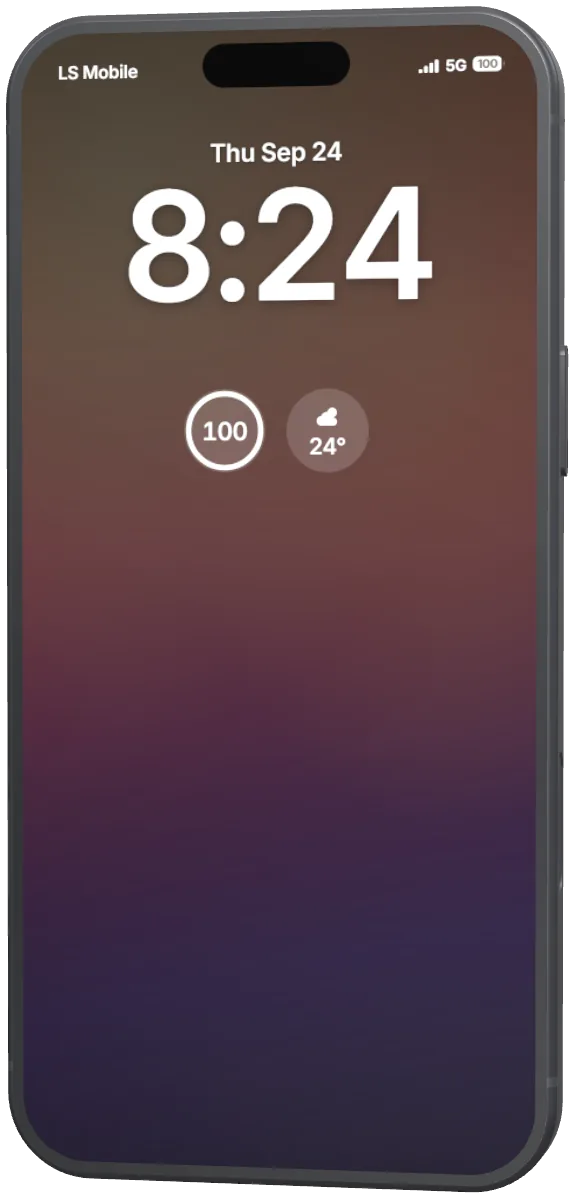
Interface renders
Small, medium or large, anywhere on the Home Screen and in the Today view: Weather, Calendar, Clock, Music, Locate, Batteries and more.
Open apps wait as cards, exactly as they were left. Flick a card up to close it.
Connectivity, Focus, brightness, volume, the torch and the camera, with music controls when something plays.
Ringtones, alerts, the keyboard and the camera shutter, all made for Pulse.
It drains, charges and warns at 20 %. The icon turns red and shows when it is charging.
Every phone action can be bound in the game's own key settings. Light and dark appearance.
The Island
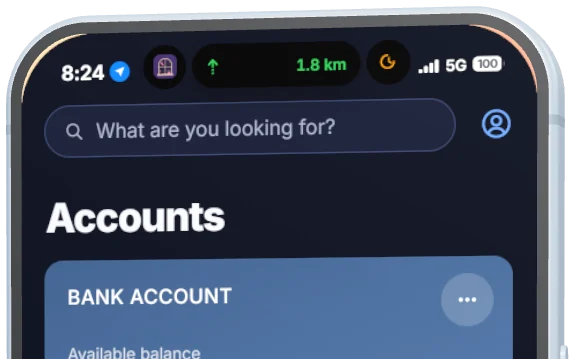
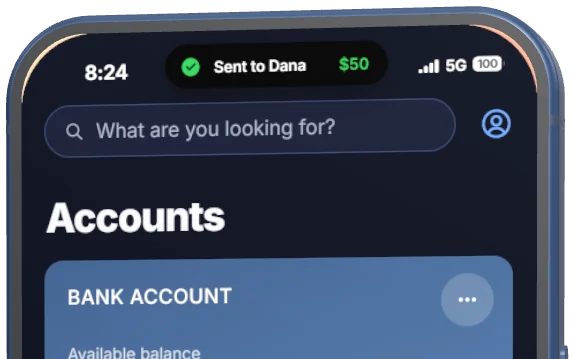
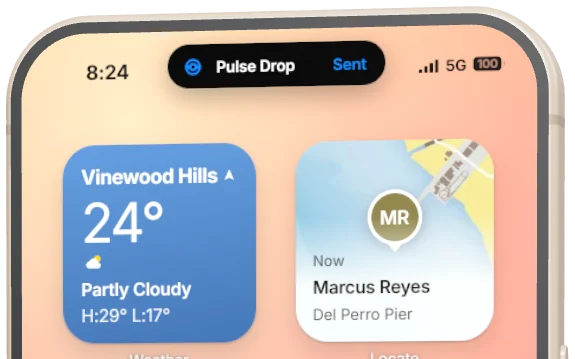
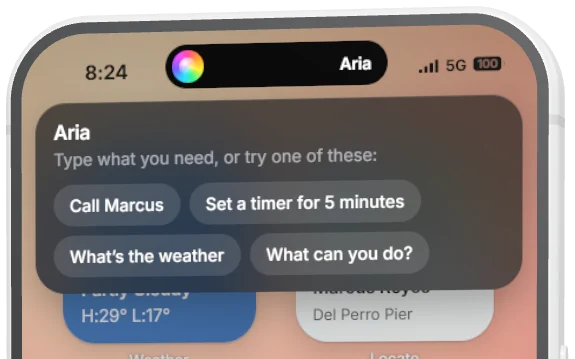
Calls, timers, music, rides, navigation and recording stay in the Island while players use other apps. Press it to expand. Aria, the assistant players type to, opens there too.
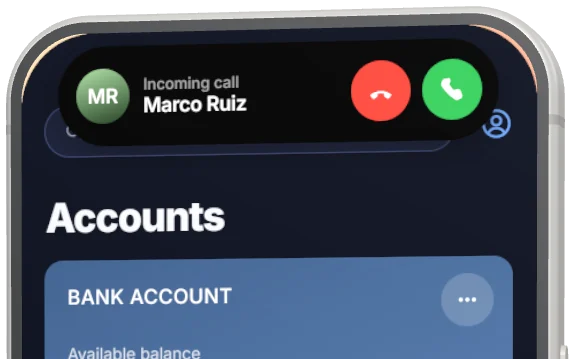
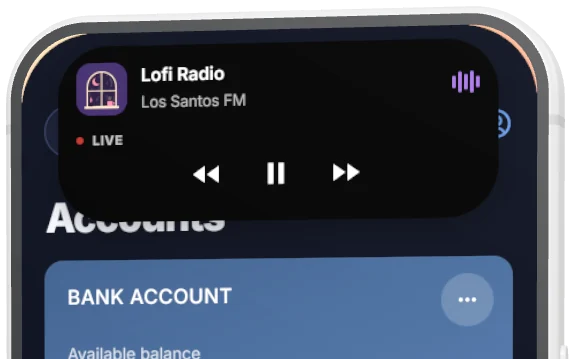
Interface renders
The apps
Everything is stored on your server and decided by it. Apps a game can't honestly fill, like Health, are left off rather than faked.
Groups, reactions, unsend, read receipts, photos, location, GIFs and drawing. Money is paid or requested right in the chat.


Wallet works with the banking script your server already runs.


Players drive for money or ride across the city, and the phone handles the rest.


Feeds, stories, clips, friends, groups and direct messages, all stored on your server. Players install the ones they use from App Hub.


Directions in Maps set the game's waypoint. The rest works with the garage, keys and housing scripts you already run.


Interface renders
Camera
What the camera shows is the live game frame, and what it saves is what the player framed.
In the world
Players see each other's phones, buy them over a counter and charge them in the car. It keeps working in the pocket.
New · Notification peek
With the phone away, a new notification lifts it halfway into view for a few seconds. The phone key opens it on that notification.
It stays down while driving (except emergency alerts), in Focus, in Silent Mode and for muted apps, and can be turned off in Settings. A shut Flip shows it on its cover display.
New · Pulse Home Wi-Fi
Bought in the Pulse Store and set up at home. On its Wi-Fi, data is free, it works in dead zones, and calls and texts carry on over Wi-Fi Calling.
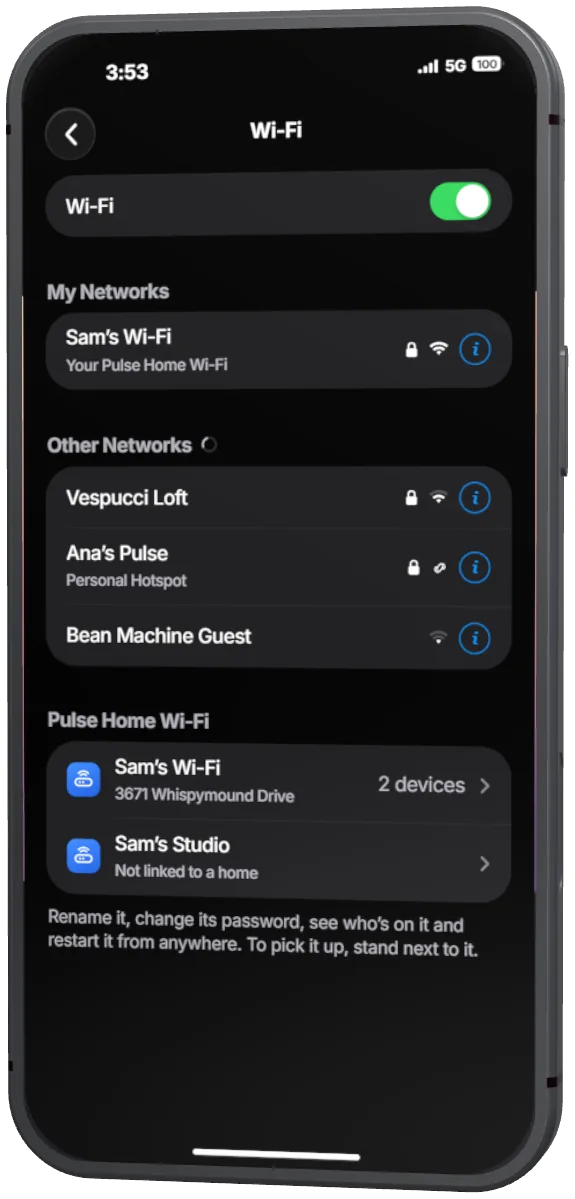
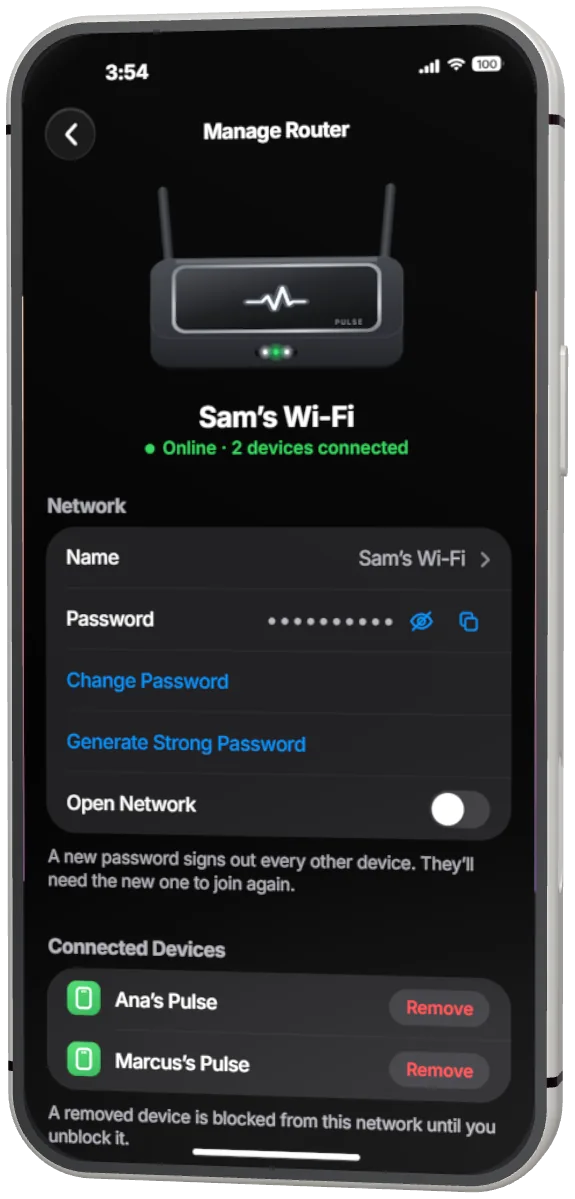
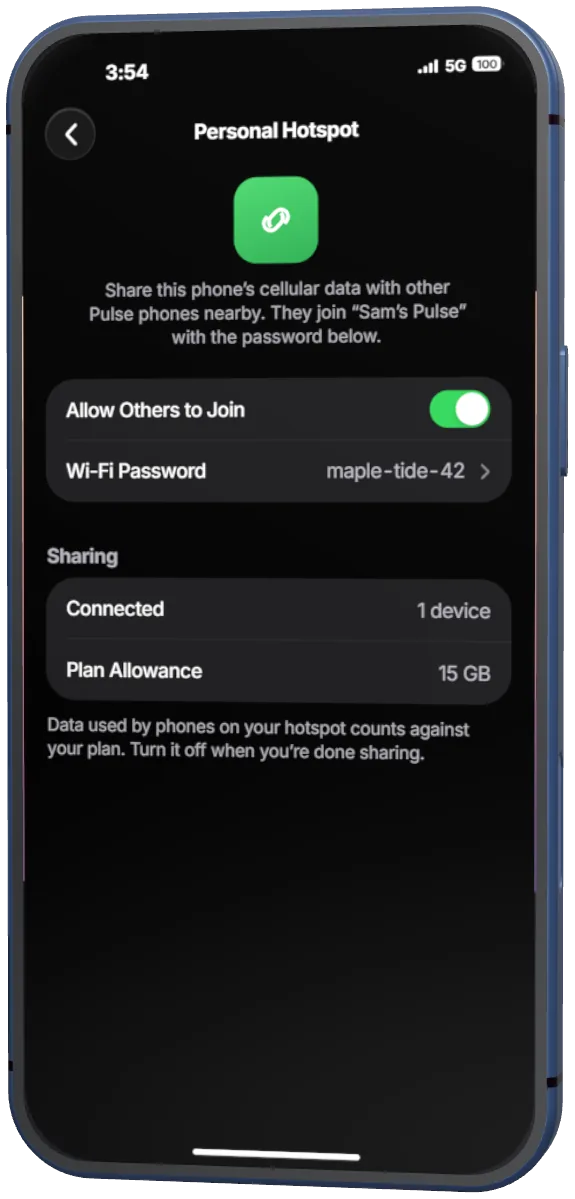
Interface renders
New · Pulse Burner and Intercept
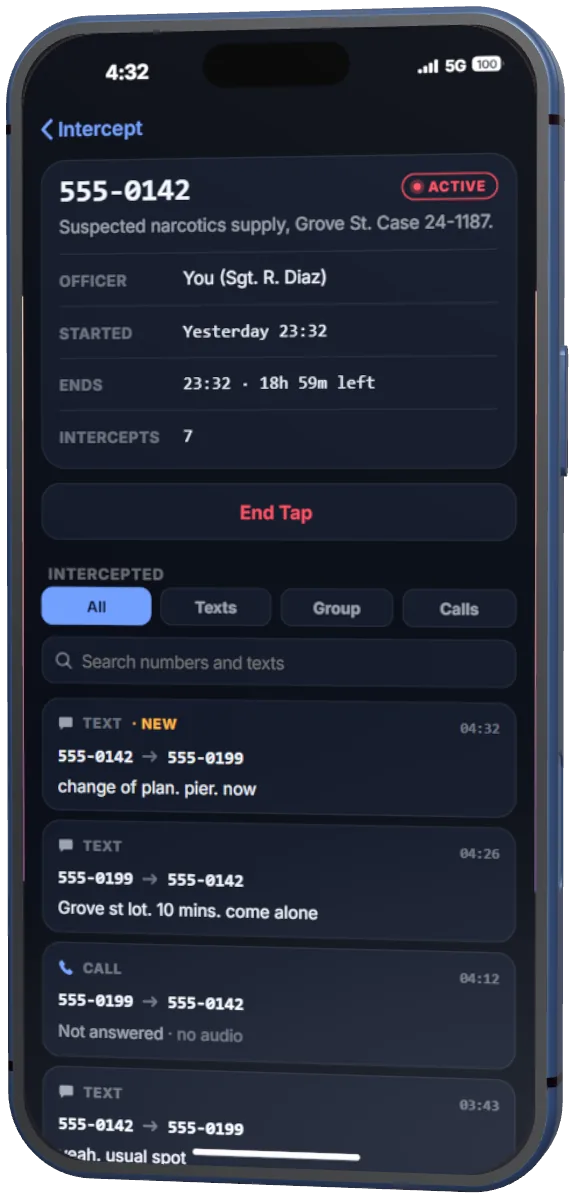
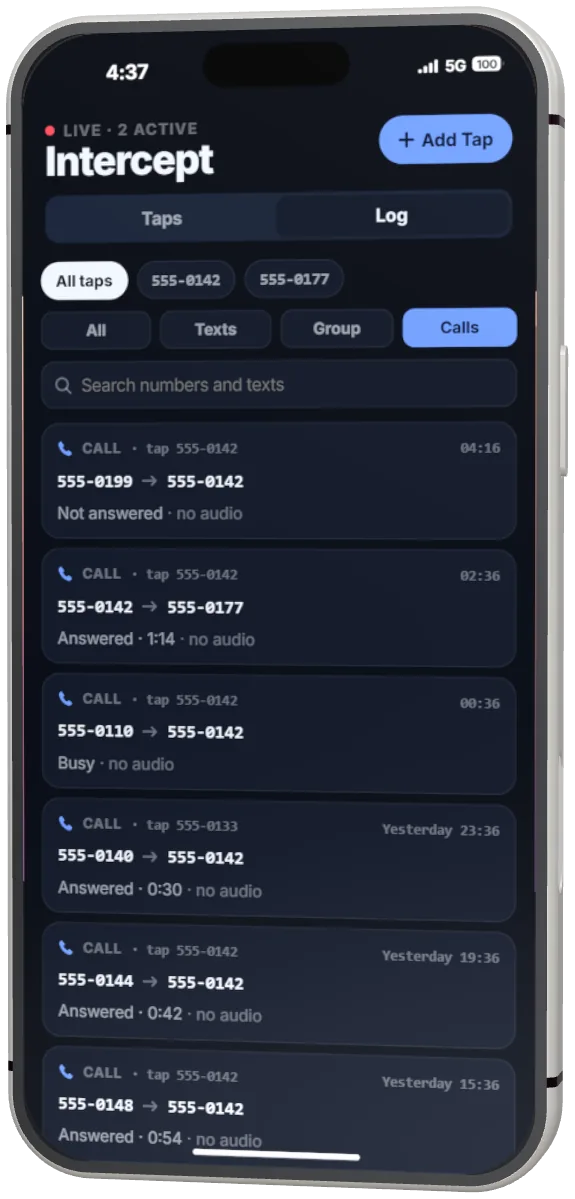
Officers can intercept a phone number. A prepaid burner is a number nobody has linked to you yet.
A cheap prepaid phone from the Pulse Store, with a number of its own. Nothing another player can see ties it to the character.
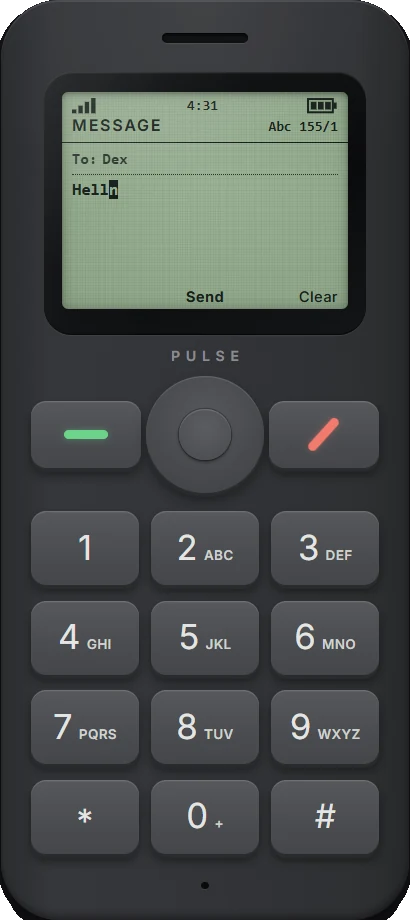
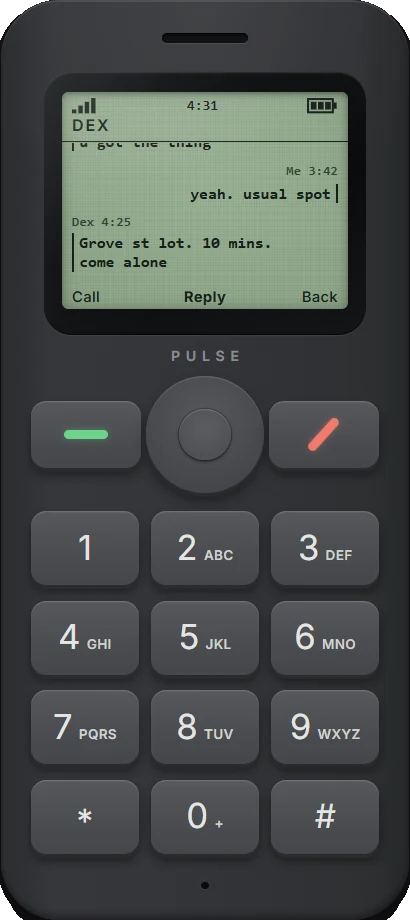
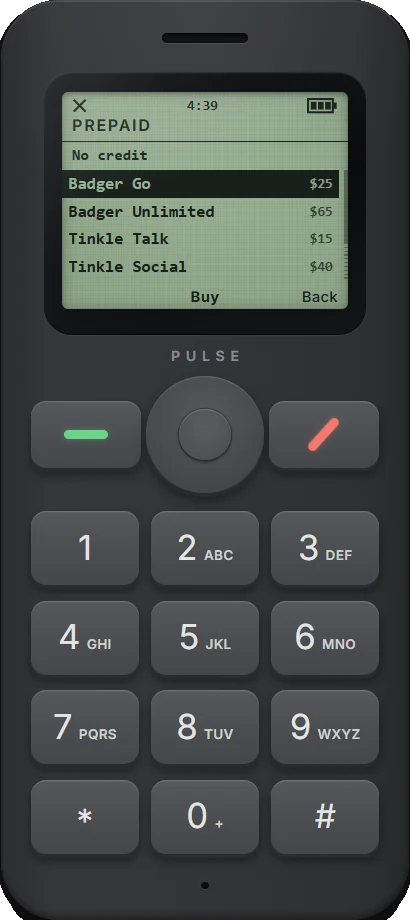
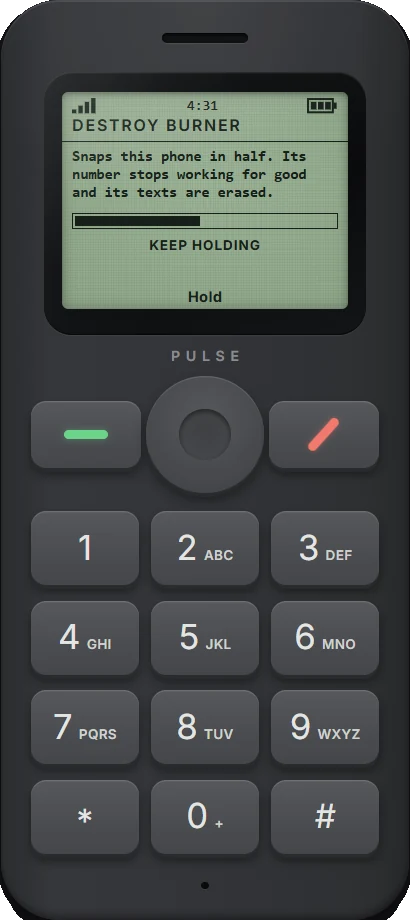
Interface renders
Officers tap a phone number for up to 72 hours. Texts to and from it and its call records appear live for every officer on duty.
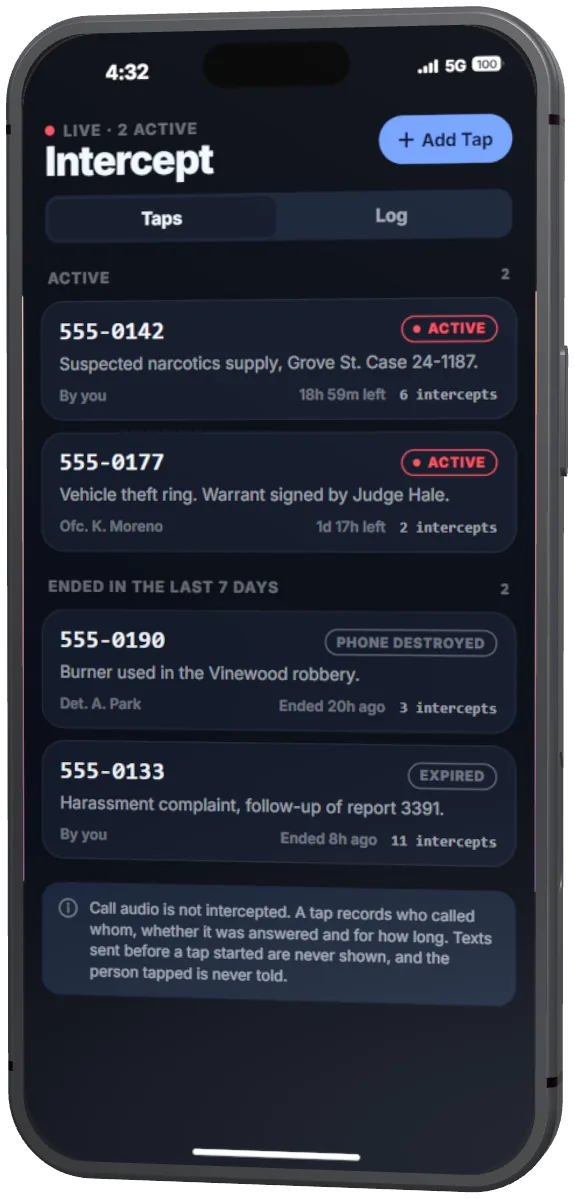
Interface renders
Pulse Store
A clerk at Legion Square sells every model, finish and size, the router, the burner and the accessories. You can add more counters, and the server sets every price.
Storage sizes and their prices are yours to configure. Every finish turns in 3D at the counter before it is bought.

Reserve holds 70 % of a charge, Reserve Max 120 %. Either snaps onto the back with an animation other players see.
Pulse Link, a USB-C cable, charges from vehicles and charging spots. The Flip charges by cable.
Locate and Lost Mode
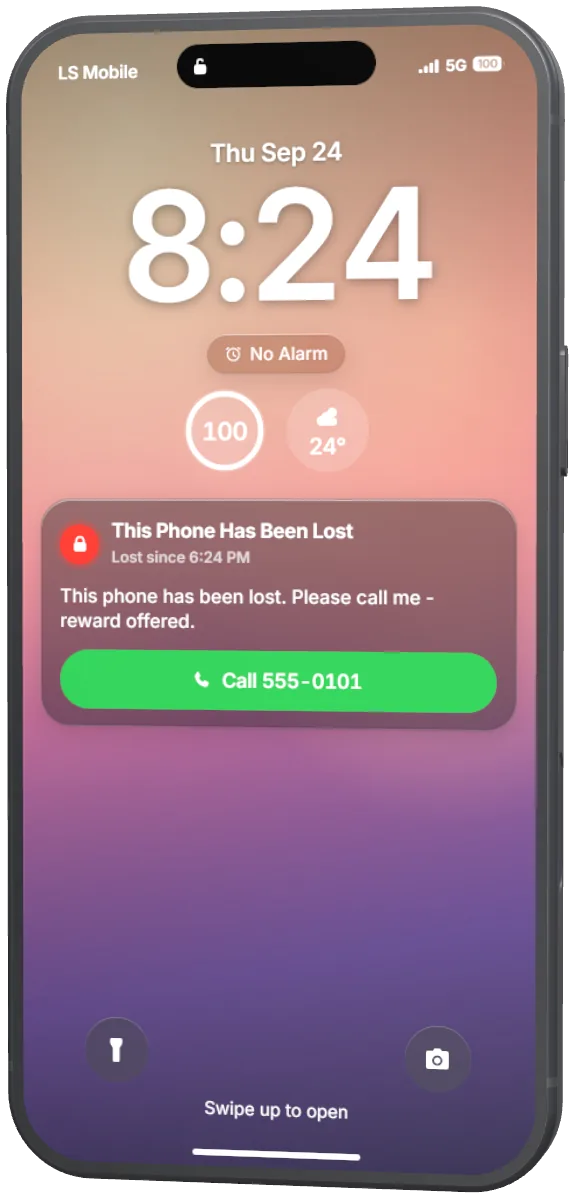
Mark a phone as lost in Locate. It locks, and its Lock Screen shows the owner's message and one Call button. Whoever holds it can call only that number, or emergency services.
Coverage and Carrier
Dead zones are off by default. Switch them on and the server decides where there is signal. At zero bars, calls, texts and data are refused, and emergency calls always work. Carrier plans and eSIMs are optional too.

Interface renders
Roleplay and security
The phone follows the rules of the scene, and nothing that matters is decided by a player's client.
Dead, downed, cuffed, escorted or jailed players are blocked, or limited to emergency calls. The state is read from QBCore, Qbox, ESX, ox_core, qbx_medical, wasabi, ars, osp, rcore_police and others.
A stolen phone stays locked, and the lockout belongs to the phone, not to the player holding it.
Money, messages, posts and calls: the server decides every result and checks every request against the player who sent it.
With unique phones on, the number, finish and storage live on the item, so a phone handed over keeps its number.
Emergency numbers work at zero bars, without a Carrier plan and from a phone in Lost Mode.
While a burner is in the hand, the server refuses everything but its calls, texts, contacts and settings, whatever a modified client asks for.
Intercept is limited per officer and per server, refuses emergency numbers, and records who started and ended every tap.
Where a router may go is checked on the server against your housing script, not taken from the player.
Payphone booths follow the same roleplay rules as the phone.
Pulse
Built-in adapters for the frameworks listed. In-house frameworks connect through the documented custom bridge.
Put the phone folder in resources/[phone]/ and start it after your database, framework, inventory and voice. On first use the phone runs its setup and issues a number, a mail address and an account.
ensure oxmysql
ensure screenshot-basic
ensure pma-voice
# your framework, inventory, banking, housing ...
ensure phone
# scripts that use the phone come after itstreamed for all four handsets together.
Tables are created on the first start and updated after each release. phone.sql is included if your host needs it.
On QBCore and ESX's default inventory the router and burner items are added at start. On ox_inventory and others, the start-up check prints the exact lines and pictures to paste.
Delivered through Cfx.re Keymaster with asset escrow. The config, the language files and the integration adapters stay editable.
Without a voice resource, calls connect but carry no audio.
English, Arabic, Bosnian, Chinese (Simplified), Czech, Danish, Dutch, French, German, Hungarian, Italian, Japanese, Korean, Norwegian Bokmål, Polish, Portuguese (Brazil), Portuguese (Portugal), Romanian, Russian, Slovenian, Spanish, Swedish, Thai, Turkish and Ukrainian.
Scripts that send mail, messages, notifications or job alerts through another phone's events keep working without changes. What carries over is in the importing guide.
Pulse
PhoneHub + Pulse Phone is the store edition. The phone inside it is this one, so a server runs one or the other.
 PhoneHub + Pulse Phone
NewAvailable soon
In game
PhoneHub + Pulse Phone
NewAvailable soon
In game
MLO + Phone
A full phone store on Portola Drive, with Pulse Phone built in.
Pulse
Version 1.2.8 is current. 32 releases so far, all through Keymaster.
Pulse
No. With oxmysql, mysql-async or ghmattimysql running, the phone creates its tables on the first start and adds new tables, columns and indexes itself after each update. phone.sql is included if your host does not let resources create tables.
If another phone left tables with the same names, they are renamed to old_<name> rather than reused, and nothing is deleted.
Scripts that send mail, messages and alerts through those phones' events keep working. The importing guide lists what carries over and what to change.
No. Intercept shows the texts to and from a tapped number and its call records (who called whom, whether it was answered, how long it lasted), live and in a log. Call audio is never captured: the voice resources have no listen-only channel the phone could rely on, so it does not pretend to have one.
With a supported housing script, only inside a home the player owns or holds a key to, including shell housing. Without a housing script, in any interior. You can change that in config/wifi.lua, or supply your own rule with exports.phone:SetRouterPlacementCheck.
Yes. Video calls take up to eight people, and the call carries on when the host leaves. Voice calls can also hold, swap and merge several people.
pma-voice, mumble-voip, SaltyChat, TokoVOIP and YACA, detected automatically. Without a voice resource, calls connect but carry no audio.
The handset models are one model each, coloured from a palette, so all of them together stream about 21 MB, down from about 205 MB before.
The resource ships with docs/PERFORMANCE.md, which lists query times measured on a database seeded to about six months of play (1,200 devices, 1.99 million messages). For example, loading Recents on boot measured 1.5 ms. Your numbers depend on your database and hardware; give MySQL a real buffer pool on a large server.
ESX Legacy, QBCore, Qbox, ox_core, ND Core, TMC and vRP 2 are detected automatically. Without a framework it runs standalone, keeping phones keyed to the player's licence with its own bank.
Any other framework, including an in-house one, connects through the custom framework bridge: a table of functions shaped like developers/custom_framework_bridge.lua, set in the config or registered from your own Lua or JS resource with exports.phone:RegisterFrameworkBridge. Only the character id is required.
Buying, delivery and licence questions are on the support page.
Docs and support
Start with the quick start. Problems are in the troubleshooting guide. Replies in Discord, typically within a day.